
Samsung Reveals 13 New Handsets
Labels:
Android,
Google,
samsung,
samsung omniaHD

[Boy Genius]
Google Chrome Update Even Faster / Has New Features
Labels:
Google,
Google Chrome
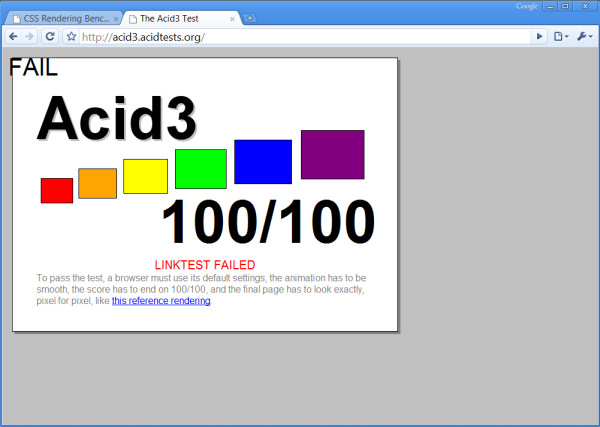
 Google Chrome got a couple of new features in their new beta build. It scored a 100/100 on the Acid3 test, but it also says that it failed too, which is weird (click picture above for more information). Besides increasing the speed 25% in the V8 benchmark tests and 35% on Sunspider test, the new beta has autofill (although I can't find it), full page zoom (which I love), autoscroll, and a new tab drag feature which is what you will find in the 5 second video clip below. I've had the build for a while now and I didn't even notice these features because they're difficult to find, but nonetheless they are powerful and they work fine.
When I first watched the 5 second clip, I couldn't even figure out how to do the new tab drag myself, but after about a minute of frustration I finally figured it out. If you drag a tab to the side and center of another window it will split the tabs. If you drag the tab to the middle and top of your monitor it will maximize. And if you drag the tab to the middle and bottom of your monitor it will expand to cover the bottom half of your screen. 2 more tab drag features are dragging the tab to the middle and left or right of your monitor which imitates the new Windows 7 feature. It maximizes to either the left or right side of the screen. My explanation may be lengthy, but if you're on the Google Chrome build 2.0.169.1 just drag the tabs around and you'll find out what I'm talking about on your own. Anyways, here's the clip.
[Lifehacker, Beta News]
Subscribe to:
Posts (Atom)